How it works
Every device counts.
Dataly adds them up.
Dataly measures data use on each device you own, then lets those devices share their totals with each other over your own network. No router setup, no account, and nothing about what you actually do online.
It starts on each device.
Your phone and computer already count every byte they send and receive. Dataly reads those counts, so the numbers come from the device itself rather than an estimate.
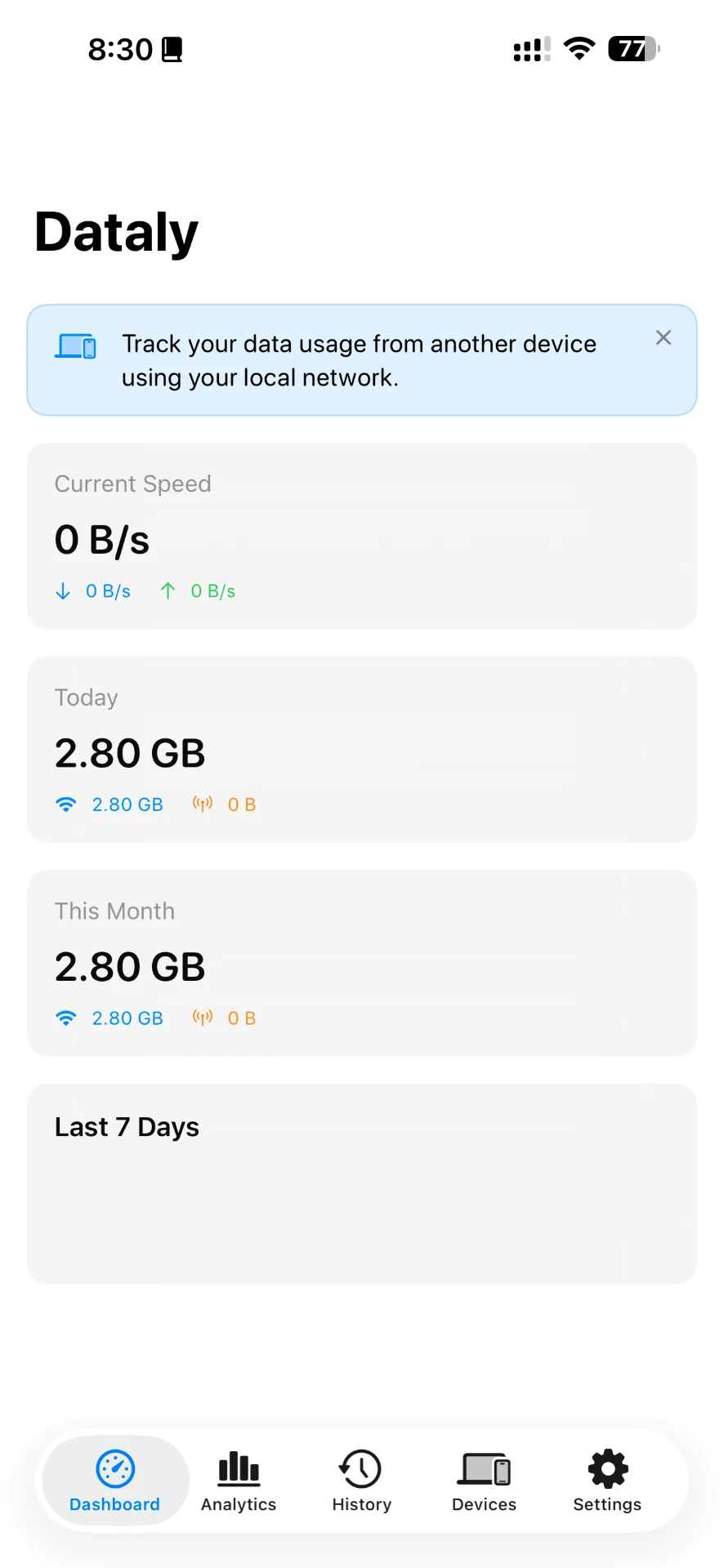
- Today
- What this device has used since midnight, on Wi-Fi and on mobile data.
- This month
- A running total for the month, so you can compare it with your plan.
- Download and upload
- What came in and what went out, shown separately and together.
- Right now
- Live network activity, so you can see when something is busy.
What each device can show.
Every platform shows daily and monthly totals. How much detail sits underneath depends on what the operating system allows.
iPhone
Tracks all of the phone's Wi-Fi and mobile data. Apple does not let apps see usage per app, so Dataly shows the device total and your iPhone's Settings shows the per-app list.
Android
Tracks Wi-Fi and mobile data, and with the Usage access permission you grant, shows which apps used it. Android keeps these counts itself, so nothing is missed while Dataly is closed.
Mac
Lives in the menu bar, tracks the Mac's total usage and shows which apps are using the connection while Dataly is running.
Pair your devices.No router required.
Seeing usage per device on a router usually means logging into its admin page, if it offers that at all. Dataly skips the router entirely: your devices report to each other instead.
- 01
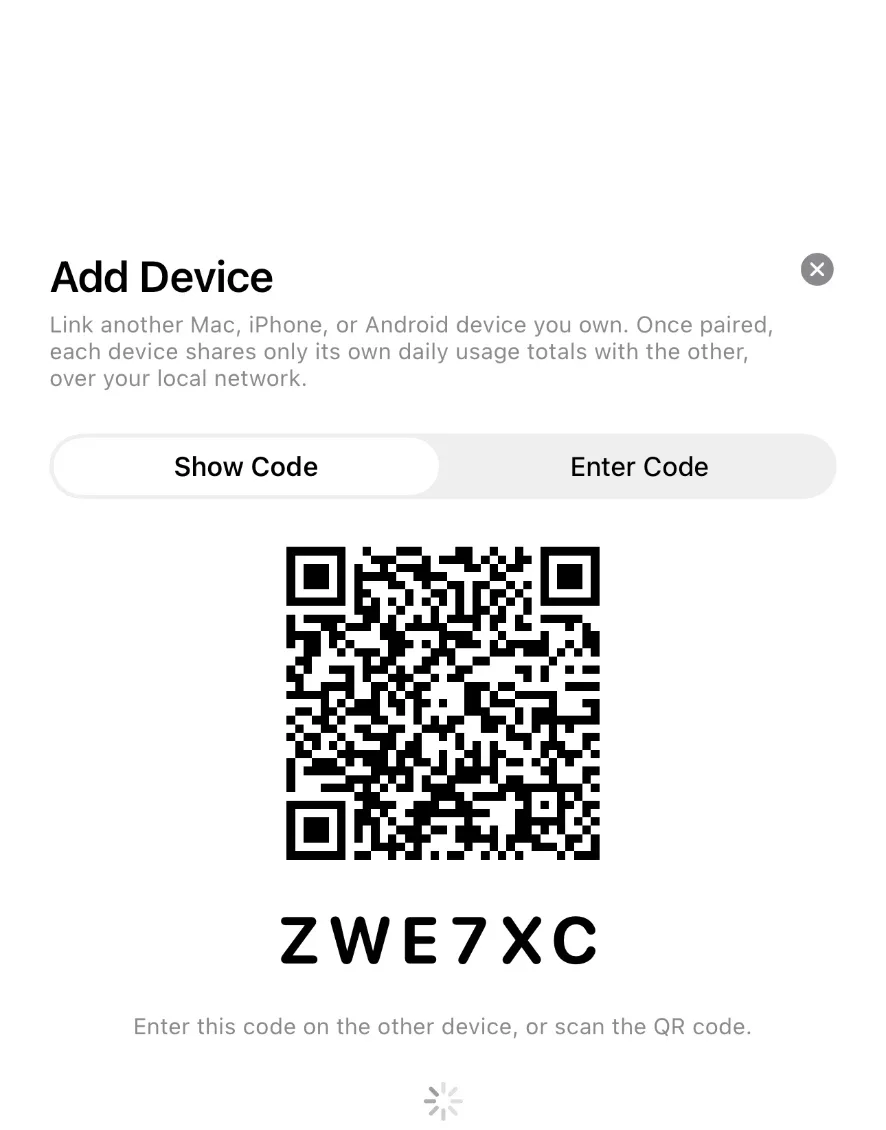
Show a code
One device shows a QR code and a six-character code.
- 02
Enter it once
Scan or type it on the other device. That's the whole pairing.
- 03
They stay in touch locally
From then on, paired devices share their daily totals over your own network.
Paired devices connect to each other over an encrypted link, and each one keeps its own keys. Remove a device at any time from the Devices screen.
Then it becomes a history.
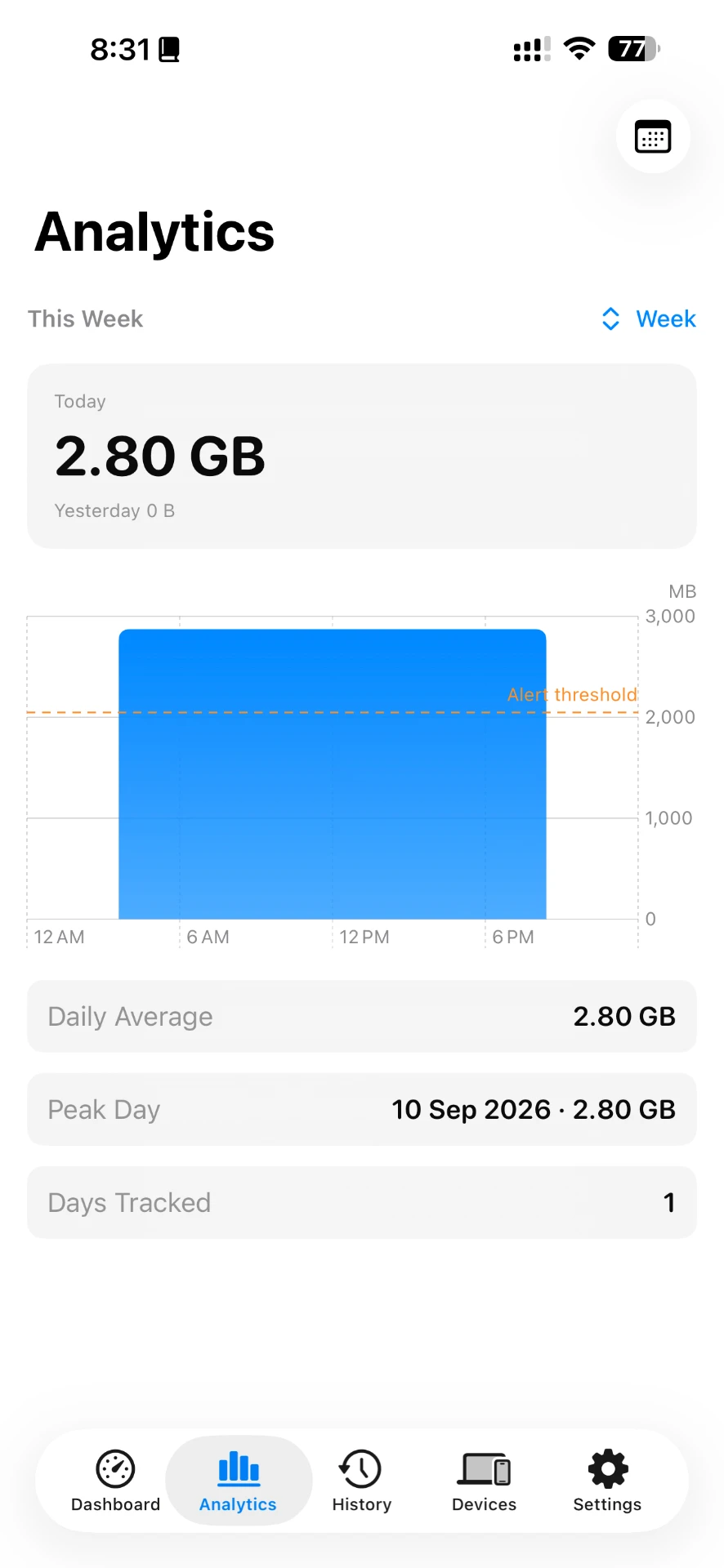
Each day is saved, so you can look back over a week or a month, find your peak days and see your daily average.
- Usage for every day you've tracked
- Weekly and monthly charts
- A daily limit you choose, with an alert when you pass it
- A built-in speed test
Numbers travel.Nothing else does.
Pairing two of your devices lets them tell each other how much data they used. That is the entire conversation, and it happens on your local network.
What a paired device shares
- A device name
- Its daily download total
- Its daily upload total
What it never shares
- Files or documents
- Browsing history
- Messages, photos or accounts
- Anything about what you were doing
The iPhone and Android apps also use Google Firebase for anonymous crash reports and Google AdMob for ads. The Mac app uses neither. The full details are in the privacy policy.
Data rewards in Nigeria
Earn real data for your phone line.
In the iPhone and Android apps, you can build up a data balance by inviting friends, watching short optional ads for daily rewards, and keeping a streak going. Once it reaches the minimum shown in the app, you can send it to a Nigerian phone number on a supported network. Dataly is not a mobile network: the rewards are paid for by Dataly and sent to your line.
How free data in Nigeria really worksQuestions
- Do I need to change anything on my router?
- No. Dataly never talks to your router. Each device measures its own usage, and paired devices share their totals with each other directly. It works the same on home Wi-Fi, office Wi-Fi, a phone hotspot or mobile data.
- Can Dataly see the websites I visit or what I download?
- No. Dataly counts how much data a device uses, not what the data is. It never reads your browsing, messages, files or the contents of your traffic.
- Does my usage get uploaded anywhere?
- No. Your usage history stays on your device. When two of your devices are paired, they exchange their daily totals directly over your local network, not through a Dataly server.
- Is Dataly free?
- Yes. The iPhone and Android apps are free and show ads. The Mac app is free and has no ads.
- Who makes Dataly?
- Dataly is made by OneWave. It is available for iPhone, Android and Mac, and a Windows version is in development.
See it on your own devices.
Dataly shows your daily and monthly data use on each device you own, and adds them up in one place.